Как workflow, версионность и централизованное хранение ускоряют бизнес-процессы
Переход от разрозненных файлов на локальных дисках к единой среде — это не просто тренд, а необходимость для компаний, которые хотят сохранить управляемость и темп. Корпоративный портал с встроенными механизмами документооборота и согласований становится центром совместной работы: здесь документы создаются, версионируются, проходят маршруты утверждения и надёжно хранятся. ESK Solutions проектирует такие системы так, чтобы они сразу встраивались в ландшафт заказчика и сокращали время на рутинные операции.
Электронный документооборот как фундамент портала
Без автоматизированного workflow документы превращаются в источник задержек. Типичные проблемы: потеря актуальной версии, отсутствие прозрачности статуса согласования, дублирование файлов в почтовых вложениях. Корпоративный портал решает эти задачи комплексно.
Автоматические цепочки обработки
Любое движение документа — создание, изменение, отправка на согласование — может запускать заранее описанный сценарий. Например, договор после загрузки автоматически направляется начальнику юридического отдела, затем — финансовому директору, а после утверждения сохраняется в архив с уведомлением инициатору. Ручная пересылка писем исключается, нагрузка на сотрудников снижается.
Гибкая настройка маршрутов
Правила согласования часто меняются: добавляются новые участники, меняются пороговые суммы, появляются нестандартные ветвления. Хорошо спроектированный модуль корпоративного портала позволяет администраторам задавать эти логики визуально, без программирования. Моделирование ветвлений «если-то» даёт возможность реализовать сколь угодно сложные процессы — от простого последовательного утверждения до параллельных маршрутов с голосованием.
Управление версиями: от хаоса к порядку
Когда над документом работают несколько человек, главный риск — потерять нужную правку или спутать финальный вариант с черновиком. Встроенная система версионности делает этот процесс прозрачным.
Журнал изменений и откат
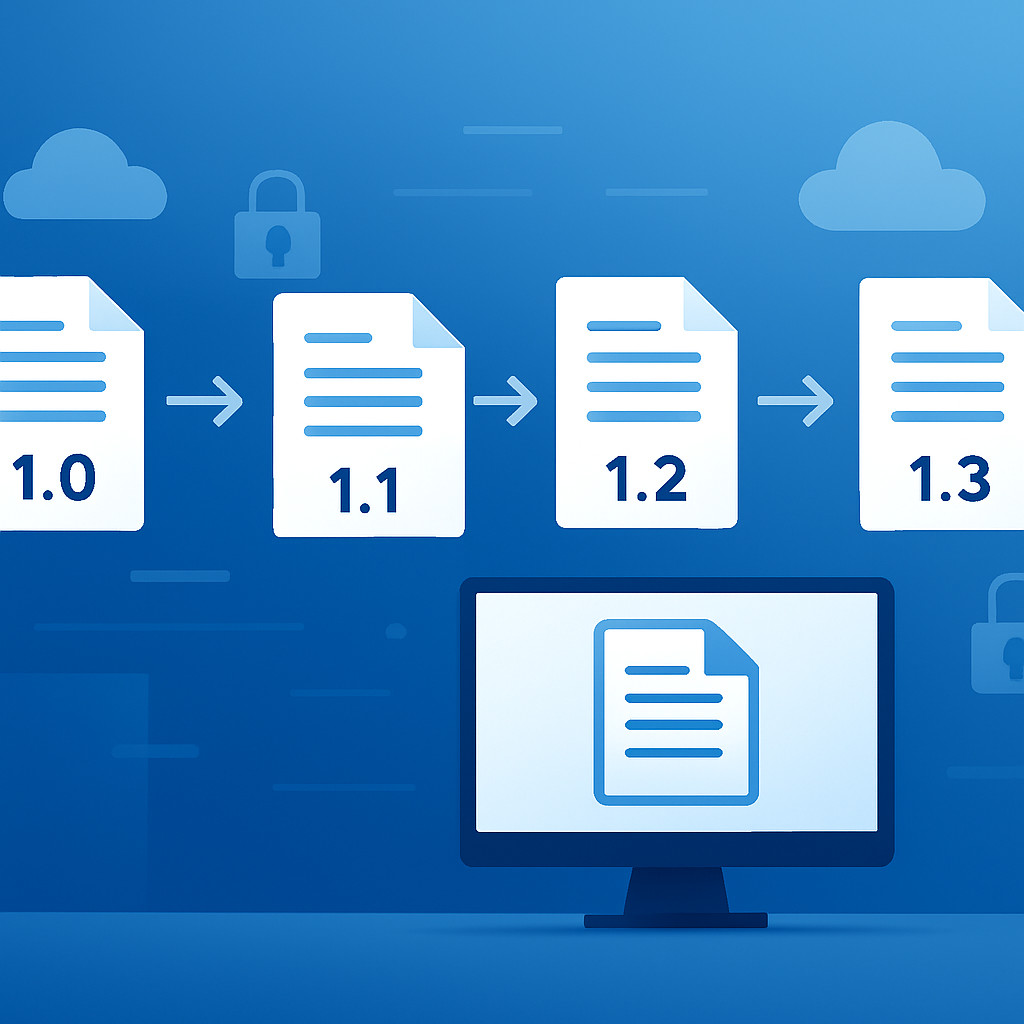
Каждое сохранение документа создаёт новую версию с меткой времени и автором. Можно в любой момент открыть историю, увидеть, кто и когда внёс правки, сравнить версии и при необходимости откатиться к предыдущему состоянию. Это особенно важно для юридически значимых документов, требующих аудита.
Блокировки и комментарии
При параллельном редактировании портал может автоматически блокировать файл для других пользователей, чтобы исключить конфликты. Встроенные ветки обсуждений при каждой версии позволяют коллегам оставлять пояснения прямо в карточке документа — без разрозненных чатов и писем.
Централизованное хранение и безопасность
Разбросанные по сетевым папкам и почтовым ящикам документы трудно искать и практически невозможно защитить. Единое хранилище в портале решает обе задачи.
Структурированные библиотеки
Документы группируются по категориям, проектам или отделам с помощью настраиваемых метаданных: контрагент, дата, тип договора. Поиск по атрибутам и полнотекстовый поиск (при поддержке OCR) находят нужный файл за секунды — больше не нужно помнить точное имя файла или путь.
Ролевая модель доступа
Каждому сотруднику назначается уровень прав: чтение, редактирование, администрирование. Конфиденциальные документы автоматически шифруются, а все действия логируются. При использовании облачного хранилища данные размещаются в сертифицированных дата-центрах, что соответствует требованиям 152-ФЗ (если этого требует бизнес). Узнайте, как наши услуги по разработке облачных решений помогают строить защищённые инфраструктуры.
Согласования без потерь времени
Сам процесс утверждения часто становится узким горлышком. Портальные решения ускоряют его с помощью уведомлений, мобильного доступа и прозрачной отчётности.
Push-уведомления и напоминания
На каждой стадии участники получают оповещения на почту, в мессенджер или в мобильное приложение портала. Для критичных заявок настраиваются эскалации: если ответ не получен за определённый срок, запрос автоматически перенаправляется заместителю или руководителю.
Аналитика по согласованиям
Руководителям важно видеть узкие места: на каком этапе чаще всего задерживаются документы, кто из участников систематически нарушает сроки. Встроенные дашборды показывают среднее время прохождения этапов и количество заявок в режиме реального времени, позволяя оптимизировать процессы дальше.
Интеграция с корпоративными системами
Документооборот не существует изолированно. Договор из портала должен «подтянуть» данные контрагента из CRM, а счёт — отразиться в ERP. ESK Solutions обеспечивает бесшовные стыковки.
Связка с CRM и ERP
При создании документа поля автоматически заполняются актуальными данными о клиенте из системы управления взаимоотношениями, а номенклатурные позиции — из учётной системы. После завершения сделки подписанный документ возвращается обратно в CRM-карточку. Это исключает двойной ввод и ошибки.
API и вебхуки
Для нестандартных сценариев портал предоставляет открытое API. Например, при смене статуса документа можно автоматически запустить внешний расчёт или передать данные в систему электронного документооборота (ЭДО) контрагента. Подобные интеграции закладываются на этапе веб-разработки портала, чтобы не требовалась переделка в будущем.
Часто задаваемые вопросы
Какие преимущества даёт электронный документооборот в корпоративном портале?
Сокращение времени на поиск и согласование, защита от потери версий, прозрачность бизнес-процессов и снижение операционных затрат. Руководители получают аналитику, сотрудники — удобный инструмент без дублирования информации.
Как работает контроль версий в портале?
При каждой правке автоматически сохраняется новая версия с указанием автора и времени. Пользователи могут просмотреть историю, сравнить редакции и при необходимости вернуться к любому состоянию. Параллельное редактирование управляется блокировками.
Насколько безопасно хранить документы в облаке?
Все файлы шифруются, доступ разграничивается по ролям. При использовании облачных решений ESK данные размещаются в дата-центрах с аттестацией в соответствии с требованиями безопасности, включая ФСТЭК. Резервное копирование гарантирует сохранность.
Можно ли интегрировать портал с уже используемой CRM или 1С?
Да, документооборот проектируется с учётом существующего IT-ландшафта. Наши специалисты настраивают обмен данными через API или готовые коннекторы, чтобы синхронизировать справочники и статусы без ручного переноса.