Как контейнеризация и оркестрация упрощают процессы разработки, тестирования и эксплуатации веб-приложений — от локального окружения до продакшен-кластера.
Современная веб-разработка требует скорости и стабильности, которые напрямую зависят от правильно выстроенной инфраструктуры. Команды, внедряющие Docker и Kubernetes, получают не только контейнеризацию и оркестрацию, но и мощный фундамент для CI/CD, идентичных staging-окружений и полноценной наблюдаемости. В этой статье мы рассмотрим, как эти технологии решают ключевые задачи веб-команд, какие практические сценарии работают лучше всего и как интегрировать их в ежедневный процесс с минимальными затратами.
Контейнеризация с Docker: базовая единица современного CI/CD
Docker стал фактическим стандартом упаковки веб-приложений. Контейнеры изолируют код, зависимости и конфигурацию в легковесных образах, которые запускаются одинаково на локальной машине разработчика, в тестовом окружении и в облаке. Это устраняет классическую проблему «работает на моей машине» и закладывает основу для воспроизводимых пайплайнов.
Преимущества Docker для веб-разработки
- Единое окружение: все члены команды используют одинаковые версии рантаймов и библиотек, что сокращает время на отладку окружения.
- Быстрая сборка и запуск: контейнеры стартуют за секунды, позволяя мгновенно переключаться между ветками и задачами.
- Упрощение CI/CD: образы Docker легко интегрируются в пайплайны сборки, тестирования и развертывания; каждый этап выполняется в чистом контейнеризированном окружении.
- Совместимость с облачными сервисами: готовые образы можно публиковать в частных или публичных регистрах и разворачивать на любом Kubernetes-кластере или облачной платформе, такой как управляемые облачные сервисы ESK Solutions.
Локальное окружение и staging: полная идентичность
С помощью Docker Compose разработчики поднимают многоконтейнерное приложение (веб-сервер, базу данных, очереди) нажатием одной команды. Точно такой же стек можно использовать для staging-окружений: инженеры разворачивают копию продакшен-сервисов, проверяют миграции, нагрузочные тесты и взаимодействие с внешними API ещё до того, как изменения попадут в основной релизный канал.
Kubernetes: оркестрация и масштабирование для команд
Когда проект вырастает из одного-двух контейнеров, на помощь приходит Kubernetes. Он управляет жизненным циклом десятков и сотен контейнеров, автоматически масштабирует сервисы, контролирует их состояние и обеспечивает отказоустойчивость. Для веб-команды это означает, что инфраструктура становится декларативной и предсказуемой.
Управление жизненным циклом контейнеров
Kubernetes решает задачи, критичные для веб-приложений:
- Декларативное описание: манифесты YAML описывают желаемое состояние системы, а контроллеры Kubernetes его поддерживают.
- Автоматическое восстановление: упавшие контейнеры перезапускаются, а нездоровые поды заменяются без участия человека.
- Rolling Updates и откаты: обновление версий приложения выполняется постепенно, с возможностью мгновенного отката при ошибках.
- Секреты и конфигурации: чувствительные данные и настройки выносятся из образов и управляются централизованно.
Staging-кластеры как мини-продакшн
Для качественного тестирования недостаточно одного staging-сервера — нужна среда, максимально приближенная к реальной. Kubernetes позволяет создавать отдельные namespaces или даже легковесные кластеры (Minikube, Kind, k3s) для каждой фичи или команды. В сочетании с инструментами вроде Helm можно развернуть полный стек за несколько минут и провести нагрузочное тестирование на копии продакшен-конфигурации. Именно так мы выстраиваем staging для клиентов, разрабатывающих сложные веб-приложения с помощью услуг веб-разработки ESK Solutions.
CI/CD с Docker и Kubernetes: автоматизация от сборки до деплоя
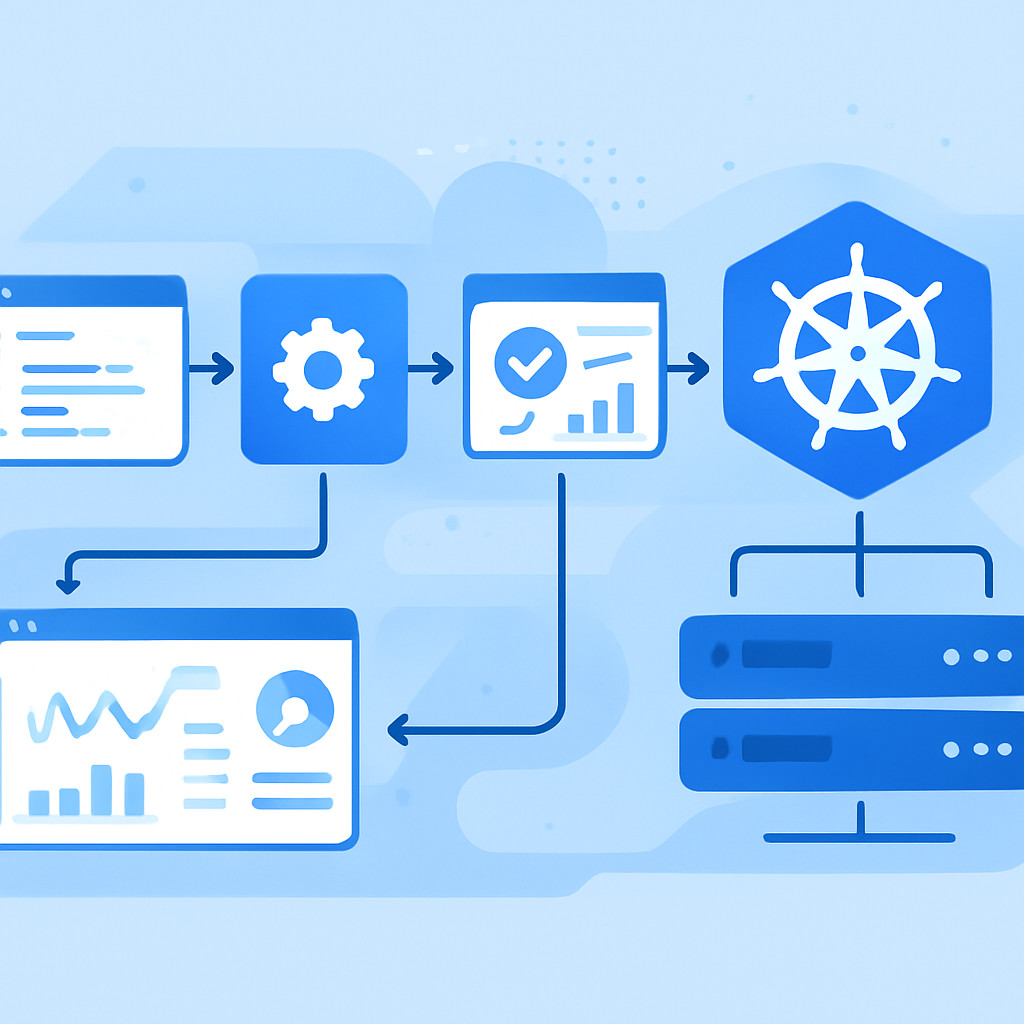
Связка Docker и Kubernetes идеально ложится на парадигму непрерывной интеграции и доставки. Код, попадая в репозиторий, автоматически собирается, тестируется и публикуется в виде образа, после чего Kubernetes-оркестратор выкатывает его в нужное окружение. Это исключает ручные операции и обеспечивает короткий цикл обратной связи.
Непрерывная интеграция и контейнеризация сборок
Каждое изменение в коде запускает пайплайн, который:
- Собирает Docker-образ с кодом и всеми зависимостями.
- Прогоняет модульные и интеграционные тесты внутри контейнера.
- Сканирует образ на уязвимости.
- Публикует образ в регистр (Docker Hub, GitLab Container Registry, Harbor).
Такой подход гарантирует, что в production попадёт только код, прошедший все проверки, и что артефакт невозможно испортить «накатом сверху». Для сложных веб-решений, особенно SaaS-продуктов, эта автоматизация критична — мы применяем её при создании SaaS-приложений в ESK Solutions, обеспечивая мультитенантную изоляцию и регулярные обновления без простоев.
Канареечные и blue-green деплои
Kubernetes даёт нативную поддержку продвинутых стратегий деплоя. Blue-green deployment позволяет переключить трафик на новую версию мгновенно после проверки, а канареечные релизы — направить лишь малую долю пользователей для раннего обнаружения проблем. Всё это снижает риски и помогает команде быстро откатить изменения, если новая версия ведёт себя непредсказуемо.
Observability: мониторинг, логи и трассировка в облаке
С ростом количества микросервисов и динамичности Kubernetes следить за состоянием приложения без централизованной наблюдаемости становится невозможно. Команде веб-разработки необходимо видеть метрики, логи и трейсы запросов в единой панели, чтобы быстро находить корневую причину сбоев.
Инструменты и подходы
Стандартный стек observability в мире Kubernetes включает:
- Prometheus + Grafana для сбора и визуализации метрик (CPU, память, RPS, задержки).
- ELK (Elasticsearch, Logstash, Kibana) или Grafana Loki для агрегации и поиска по логам всех контейнеров.
- Jaeger или Zipkin для распределённой трассировки запросов между микросервисами.
Эти компоненты сами часто разворачиваются в Kubernetes и настраиваются с помощью того же Helm. Дополнительным плюсом становится интеграция с облачными решениями: если основой для кластера служит облачная инфраструктура ESK Solutions, можно подключить управляемые сервисы мониторинга и логирования без лишней административной нагрузки.
Интеграция observability в CI/CD
Наблюдаемость не должна ограничиваться продакшеном. Уже на этапе staging можно настроить те же метрики и алерты, что и в боевом окружении, и автоматически прогонять нагрузочные тесты, отслеживая изменение производительности. Если новый билд вызывает рост задержек или ошибок — пайплайн сам останавливает продвижение артефакта дальше. Это называется «проверка наблюдаемости» (observability gates) и становится стандартом зрелых DevOps-практик.
Сценарии для веб-команд: от SaaS-сервисов до корпоративных порталов
Подход с Docker и Kubernetes не зависит от конкретного типа веб-продукта, но разные категории проектов раскрывают свои нюансы.
SaaS-приложения и мультитенантность
Для SaaS-решений, где важны изоляция данных и равномерное распределение нагрузки, Kubernetes даёт возможность запускать каждого клиента в отдельном namespace или даже в отдельном поде с квотами. Пайплайны CI/CD при этом должны уметь деплоить обновления сразу на всех тенантов, не нарушая их работы. Мы в ESK Solutions помогаем выстроить такую логику при разработке SaaS-продуктов с учётом уникальных требований заказчика.
Корпоративные порталы и внутренние сервисы
Внутренние веб-системы часто требуют строгой изоляции staging-окружений, чтобы тестировать интеграции с Active Directory, ERP и другими корпоративными службами. Kubernetes позволяет развернуть защищённое песочное окружение с теми же сетевыми политиками и доступом, что и в production. Такой подход мы используем при создании корпоративных интранет-порталов, гарантируя, что ни одно обновление не затронет реальные данные до полной проверки.
Высоконагруженные веб-проекты
Интернет-магазины, новостные порталы, платформы с резкими всплесками трафика выигрывают от автоматического горизонтального масштабирования в Kubernetes (HPA). Контейнеры приложения и сопутствующих сервисов динамически добавляются в пул и удаляются при падении нагрузки, а инструменты наблюдаемости помогают предсказать пики и подготовить ресурсы заранее. Базой для таких проектов может выступать наша экспертиза в веб-разработке и облачных архитектурах.
Часто задаваемые вопросы
Нужен ли Kubernetes небольшой команде веб-разработки?
Для стартапов и команд из 3–5 человек может быть избыточным разворачивать полноценный кластер с нуля. Однако существуют управляемые Kubernetes-сервисы (GKE, EKS, AKS и аналоги), которые берут на себя обслуживание control plane. В таких случаях Kubernetes помогает с первых дней: декларативная инфраструктура упрощает повторяемость окружений и подготовку к росту. Если проект планирует масштабироваться, внедрение Kubernetes на раннем этапе экономит время на переписывание деплой-скриптов в будущем.
Как быстро развернуть staging-окружение, идентичное продакшену?
Скопируйте Helm-чарты и манифесты production-кластера в отдельный namespace или отдельный кластер, изменив лишь внешние эндпоинты (адреса баз данных, ключи API). С помощью CI/CD можно автоматизировать создание такого окружения под каждую feature-ветку: пайплайн запускает терраформ или скрипт, поднимает кластер, деплоит приложение и возвращает URL для ручного тестирования. ESK Solutions помогает настроить подобные процессы с использованием облачных сервисов и оркестрации.
Какие инструменты observability лучше интегрируются с Docker и Kubernetes?
Prometheus стал де-факто стандартом сбора метрик в Kubernetes благодаря встроенной поддержке Service Discovery и экспортёрам. Для логов отлично работает Grafana Loki или Elastic Stack с Filebeat DaemonSet. Для трассировки — Jaeger. Все они легко устанавливаются через Helm-чарты и могут работать как on-premise, так и в облаке. Главное — обеспечить единую точку входа (Grafana), где команда видит метрики, логи и трейсы одновременно.
Может ли ESK Solutions помочь с внедрением Docker и Kubernetes?
Безусловно. Мы проектируем CI/CD-пайплайны, разворачиваем staging- и production-кластеры, настраиваем observability и обучаем команды работе с новыми инструментами. Обратитесь к нашим специалистам по облачной разработке, чтобы обсудить ваш проект и подобрать оптимальный стек.